
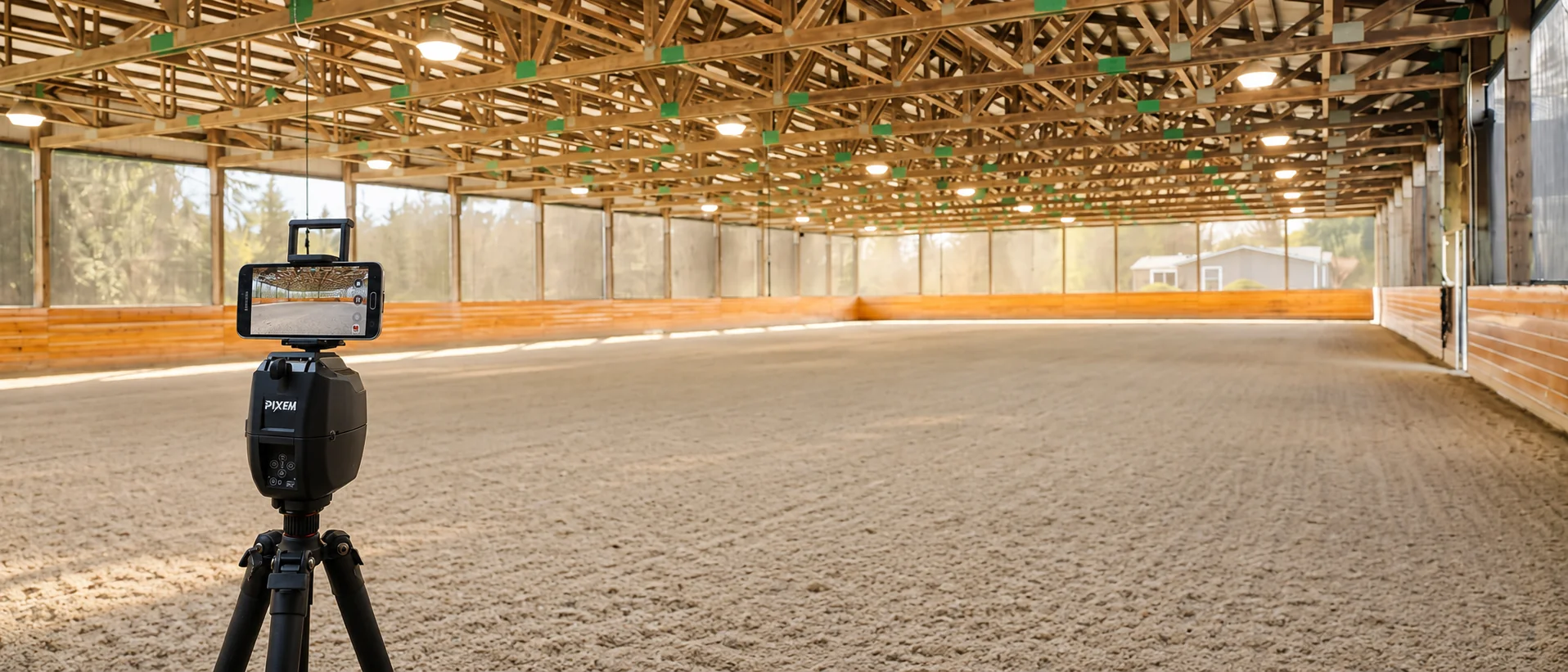
Clear video helps your instructor assess your position, your horse’s movement, and how you work together. Whether you use Pivo, Pixem, an iPad, or a mobile phone, the goal is the same: keep the whole horse and rider visible, with a steady picture and reliable sound for live lessons.
You can use an automatic tracking system, ask someone to film, or set up a stationary device. A short test before your lesson will help you find the best arrangement for your arena.
Choose your setup
Automatic tracking system
A tracking system can follow you as you ride, making it useful when you are schooling alone. Setup and capabilities vary. Some systems use visual tracking; others require a wearable tracker. Check that your equipment supports the video platform your instructor uses, particularly for live lessons.
Phone or tablet on a tripod
A stationary device can work well when positioned to show the area where you will ride. Your instructor may ask you to work within that view or adjust your position for a particular exercise. You do not need tracking equipment to get started.
Someone filming
A helper can follow your movement and adjust the framing as needed. Ask them to keep the picture steady and include the entire horse and rider, with room ahead in the direction you are traveling.
Position the camera
Set the device horizontally on a stable tripod or secure mount. Keep equipment and cables clear of the riding track, gates, and places where horses or people could knock them over.
Choose a position with an unobstructed view of your working area. The midpoint of a long side can provide a useful side view; a position near the middle of a short end can help show straightness on the centerline. Your instructor may prefer one angle depending on what you are working on.
Start with the camera around chest height for a person standing on the ground, then adjust the framing. The picture should include your helmet, your horse’s feet, and enough space around you to avoid cutting off movement.
Avoid excessive zoom. Your instructor needs to see the whole horse and rider, including during transitions and changes of direction.
Check the light
Aim for even lighting and a clear view of both horse and rider.
Indoors, check whether bright doors or windows turn you into a silhouette. Outdoors, avoid pointing the lens directly toward the sun. Clean the lens before you begin, and record a short test in the areas where you expect to ride.
If parts of the arena are difficult to see, let your instructor know so you can plan your work accordingly.
Prepare for a live virtual lesson
For a live lesson, the connection and audio matter as much as the picture.
- Test the connection in the arena. Check it at the camera’s actual location, rather than relying on reception in the barn.
- Confirm the lesson platform. Install any required apps and check camera and microphone permissions beforehand.
- Test your audio while mounted. Make sure you can hear your instructor and that they can hear you from across the arena. If using a wireless earpiece, check its range and fit without altering your helmet’s fit.
- Charge your equipment. Include your phone or tablet, tracking system, and audio device.
- Reduce interruptions. Silence notifications and close unnecessary apps while keeping the lesson connection active.
Agree on what to do if the picture freezes or the audio drops. Return to walk or halt safely before handling equipment.
Test automatic tracking
If you use Pivo, Pixem, or another tracking system, follow its setup instructions and test it before the lesson.
Check that it follows you through both reins, corners, and changes of direction. Confirm that the whole horse and rider stay in frame at the nearest and farthest points of your working area.
Other horses, arena mirrors, obstructions, and lighting may affect some systems. If tracking is inconsistent, adjust the placement or choose a smaller working area. Have a stationary camera option available if needed.
Film useful clips for video review
Recorded video gives your instructor time to pause, replay, and compare your work. Ask what they would like to see before filming.
For a general review, include:
- Walk, trot, and canter on both reins, as appropriate for your horse’s current work.
- Transitions between and within gaits.
- Straight lines and circles.
- Any exercise or difficulty you want help with.
Keep the footage at its original speed and retain the sound unless your instructor requests otherwise. Include the approach, the exercise, and several strides afterward so they can see how the movement develops.
Send clearly labeled clips rather than a long recording with extended gaps. Include your goal, what you felt, and any relevant changes since your previous lesson.
Before you mount
Record a short test and watch it back. Check that your horse’s feet and your helmet remain visible, the image is clear, and the audio works.
For a live lesson, join early enough to confirm the view with your instructor. A few minutes of preparation will leave more of your lesson available for riding.
Seven Hills Training offers live virtual riding lessons and recorded video review for riders nationwide, from our base in Monroe, Washington. Contact us to discuss your goals and prepare for your session.
Back to all insights